


MWINGI now uses Loyverse API for integration to Dataddo Dashboard solutions

By Andy in Customer Stories
· 9,915 views
“Retail is detail” and retail is all about data. Only those who know their data and are able to analyze and monitor them constantly will be successful in optimizing their business.
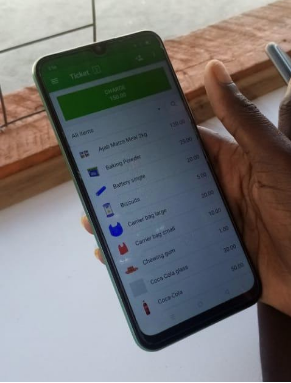 To source and manage their retail and wholesale data, the Kenyan company MWINGI has been using Loyverse POS and inventory system already for over a year. MWINGI is serving dispersed rural communities in Kenya in hard to reach areas due to the lack of infrastructure (roads, electricity). MWINGI has developed an efficient distribution network through which it can reach the real “last mile” in rural Kenya.
The challenge – but also opportunity – for MWINGI is how to establish a formal supply chain in a highly informal setting and at the same time keeping control over all processes.
With Loyverse MWINGI can manage its sales and inventory level in real-time, allows prerequisite to quickly respond to the market and to MWINGI´s customer needs.
As MWINGI is constantly growing its network of shops, the company desired to develop a customized dashboard and reporting structure to steer the business even more efficiently. With the new Loyverse API solution, all essential data can be automatically integrated into other systems, for example, the BI tool from Dataddo, which is easy to handle.
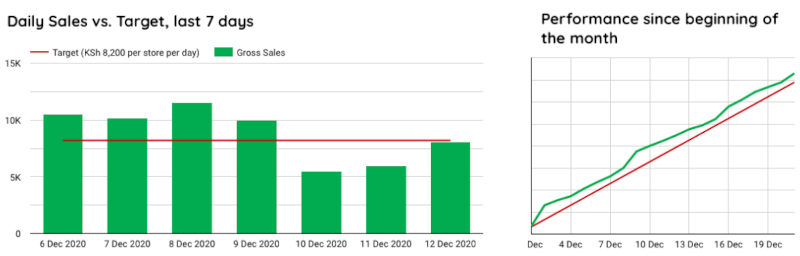
MWINGI now has a customized dashboard and individual reports which they can share with their management and franchisees. For example, every day, the team sees the sales development per shop versus target, just with one click. All sales data are now exactly in the format the management needs for their internal analysis. This allows them to react quickly and not to lose any sales.


-
 2
Recommended Comments