
Skip to content
View in the app

A better way to browse. Learn more.

Loyverse Town

A full-screen app on your home screen with push notifications, badges and more.

To install this app on iOS and iPadOS
  1. Tap the Share icon in Safari
  2. Scroll the menu and tap Add to Home Screen.
  3. Tap Add in the top-right corner.
To install this app on Android
  1. Tap the 3-dot menu (⋮) in the top-right corner of the browser.
  2. Tap Add to Home screen or Install app.
  3. Confirm by tapping Install.

New features: Tax application depending on dining options and logo printing on receipts

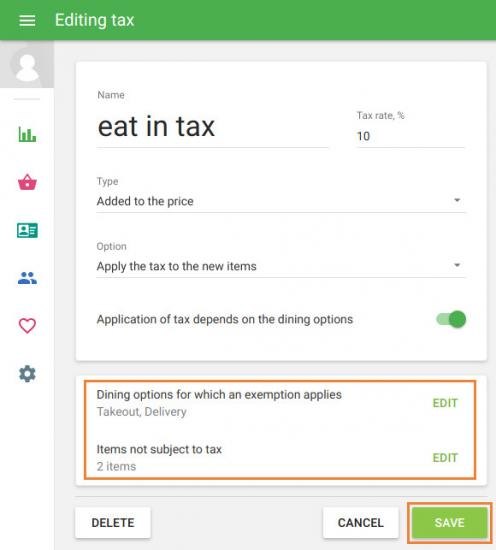
In some countries, the tax on certain goods depends on the dining options. For example, if the customer orders food for takeout, it is not taxed. But in the case of consuming the same food inside the cafe, it is taxed.
Now you can set this tax options in Loyverse POS. This feature is currently available for iOS users, and it’ll be available for Android users later. 
loyverse_eat_in_tax.jpg.b6c81b794e7d5c4f9bd485de7f375d6d.jpg

How to Apply Taxes Depending on Dining Options

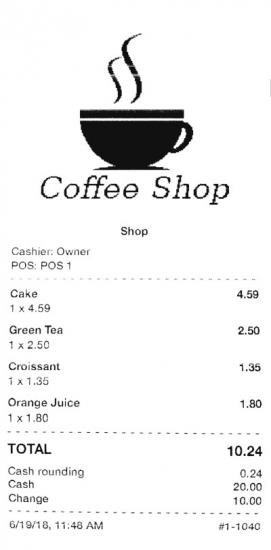
Now you can upload the logo of your business in the Back Office and it will appear on the printed receipts. This feature is also only available for iOS users, but it will be available for Android users later. The logo will be printed on the receipt in the graphical mode, which all printers from the supported printers list should be set up by default. 
loyverse_logo_receipt_printing.jpg.61142864527475a641efdc9f80e92a34.jpg

How to Add Logo to the Receipts

0 Comments

Recommended Comments

There are no comments to display.

Account

Navigation

Search

Search

Configure browser push notifications

Chrome (Android)
  1. Tap the lock icon next to the address bar.
  2. Tap Permissions → Notifications.
  3. Adjust your preference.
Chrome (Desktop)
  1. Click the padlock icon in the address bar.
  2. Select Site settings.
  3. Find Notifications and adjust your preference.