

Top 5 Popular Sunmi Devices among Loyverse POS Users

By andres in News
· 25,389 views
We have conducted a small research to understand which Sunmi devices are popular with our customers.
We hope this helps you make the right choice.
Use this link to find out how to connect Loyverse POS to Sunmi devices. You can ask questions about working with Sunmi in the comments or the community in the Android POS terminals section.
Let's start with the 5rd popular device.
Sunmi T2 Lite ranks 5th with a share of 6.4%.
The device has two screens, and although Loyverse does not yet support the second screen as a customer display, our customers still use it.
Technical characteristics of Sunmi T2 Lite
OS - Android 7.1
RAM - 2 GB
ROM - 16 GB
LCD - 15.6" FHD, 1920 × 1080
10.1" HD, 1024 × 600
Bluetooth - 4.0
Paper width - 80mm

4th place with a minimum difference of 0.1% gets Sunmi T2 mini. By the way, Loyverse POS recently started supporting the customer’s built-in LCD for the Sunmi T1 MINI and T2 MINI.
Technical characteristics of Sunmi T2 mini
OS - Android 7.1
RAM - 1 GB
ROM - 8 GB
LCD - IPS 1366×768
Bluetooth - 4.0
Paper width - 58/80mm
Weight - 630 g

Sunmi V1s-G ranked 3rd with a share of 12.9% among our users.
Technical characteristics of Sunmi V1s
OS - Android 6.0
RAM - 1 GB
ROM - 8 GB
LCD - 5,5“, 1280 × 720 points
Bluetooth - 4.0
Battery - 3.7V/5200mAh
Paper width - 58mm
Weight - 450 g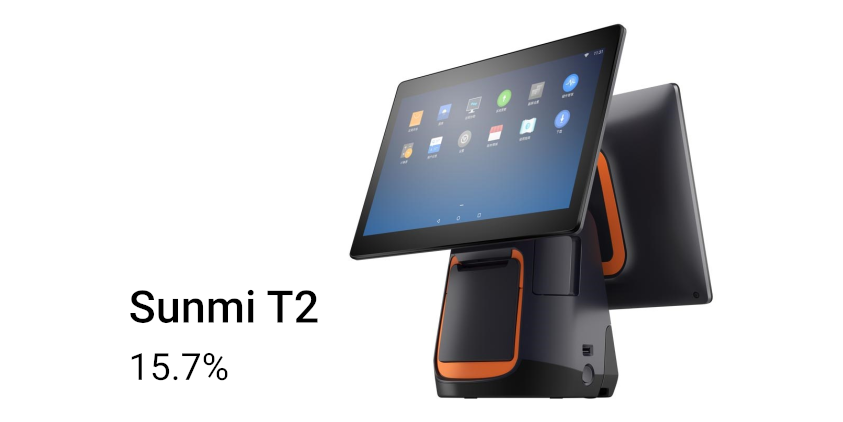
2nd place gets Sunmi T2 with 15.7%.
Loyverse does not yet support the second screen as a customer display.
Technical characteristics of Sunmi T2
OS - Android 7.1
RAM - 2 GB
ROM - 16 GB
LCD - 15,6“, 1920 × 1080 points + optional 10,1" 1024 × 600
Bluetooth - 4.0
Battery - 7.6V/2580mAh
Paper width - 80mm
Dimensions - 37,4×33,8×22,4cm
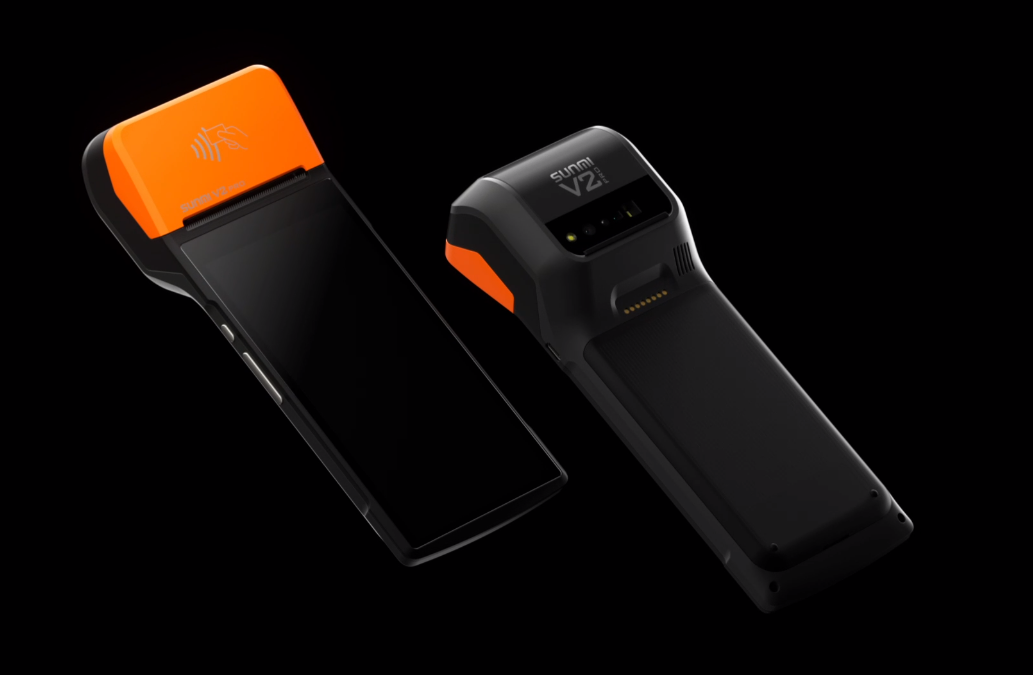
1st place occupies Sunmi V2 device; it is popular among 42.9% of our Sunmi users. First of all, the low weight of the device is the key to its success.
Technical characteristics of SUNMI V2
OS - Android 7.1
RAM - 1 GB
ROM - 8 GB
LCD - 5,45“, HD+, 1440 × 720, IPS
Bluetooth - 4.2
Battery - 7.6V/2580mAh
Paper width - 58mm
Weight - 346 g

The distribution of all Sunmi devices among Loyverse users.

Android version distribution among Sunmi devices.
Sunmi V2 in the store.
Sunmi V2 sells bus tickets.
If you want to demonstrate new areas of use of Sunmi devices, you can insert your photos in the comments, the best we will add to our article.
-
 1
-
 1
-
 2
Recommended Comments